
App growth marketing focuses on “expanding traffic” and “improving conversion rates.” In practice, most companies choose to combine multiple traffic sources for their promotional efforts.
However, at the same time, in the face of increasingly complex business scenarios, it is essential to consider questions such as “Where does the traffic come from? How does it arrive? Which channels have high conversion rates? How can we improve conversion rates?”
Passing channel parameters will help the app perform attribution analysis, providing a clear understanding of the growth value contributed by each scenario, channel, and individual, thus helping the app optimize its operational and marketing strategies.
What complex and ambiguous data issues arise from multi-channel advertising?
Different traffic channels typically represent different investment costs and conversion goals. How can we measure performance using a unified attribution standard when dealing with different marketing personnel, marketing methods, conversion paths, and objectives?
Multi-channel marketing requires diverse tracking and identification methods. However, with users converting across various complex device identifiers and ID systems, how can we accurately identify the source channel of the same user?
When promoting through hundreds or thousands of channels, how can you flexibly and quickly collect multi-dimensional data from this massive number of chaTo accurately identify traffic sources from multiple channels, it is necessary to introduce openinstall’s parameter-based installation function for attribution analysis during traffic tracking. This allows for fraud prevention and comprehensive data monitoring across the entire user journey.nnels?

I. Core Data Metrics for App Parameter Attribution
What steps are involved in attribution tracking for app installations via parameter passing? What are the core data metrics for each step?
Different applications have different conversion goals, but the overall conversion process generally follows this pattern:
It’s necessary to analyze the value of each channel: in a fragmented market, we need to determine which specific channels—web, app, offline, or advertising—are driving traffic to the app store for downloads.
The conversion rate from exposure to clicks requires in-depth analysis of the marketing content. From the display window to the landing page content, and then to the designated download channel, every data variable in the entire conversion process is an important factor affecting the final conversion. The reach rate and churn rate at each stage can be analyzed accordingly.
This can be achieved by passing multiple sets of custom parameters during the app installation process.
II. How to flexibly implement custom parameter-based statistics
Openinstall’s parameter passing installation feature allows parameters from the download webpage (H5 webpage) link to be passed to the app being downloaded and installed, which is used to identify the app’s installation source.
For example:
By using a download page link such as www..com?id=01&name=jack (the download page needs to integrate web documents to enable parameter passing), after downloading and opening the app, the corresponding parameters id=01 and name=jack can be obtained in the callback of the installation parameter acquisition method (getinstall) provided by the openinstall SDK. This allows you to determine which link and parameters led to the app installation.
Implementation process:
- You need to integrate the corresponding SDK into both the app and the download landing page (you can also use the online testing webpage in the application console to test whether the parameter passing function works correctly).
- Then, append the necessary parameters (the parameters can be customized) to the end of the download landing page URL where the [Web Integration] document (JS SDK) has been integrated.
Regarding the flexibility of channel parameters, openinstall supports the concatenation and transmission of multiple parameters. To obtain more information in addition to tracking the user’s installation source, you can append additional custom parameters to the channel URL. The concatenation format is similar to: www..com/index.html?id=A&name=XXX&type=123, using “&” to separate multiple parameters and “=” to specify the specific content.
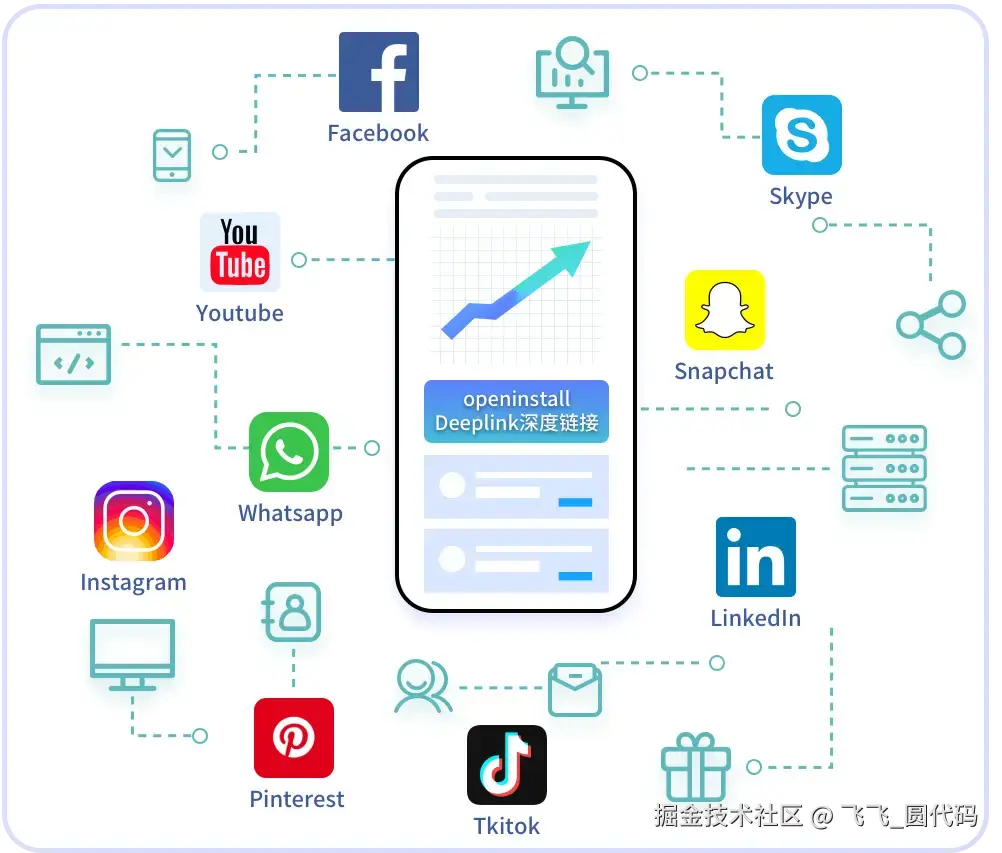
This allows you to track the installation source through different channels while also obtaining customized information such as the channel name, activity type, promotion time, and promotion region associated with that link.
- After the user downloads, installs, and opens the app via this link, the openinstall SDK’s parameter retrieval method will provide the parameter
id=A, allowing you to determine which link the app was downloaded from.
By precisely identifying the installation source through custom parameters, it’s possible to develop various use cases such as installation without requiring an invitation code, automatic binding after installation, one-click app launch with parameter passing, and user relationship attribution, significantly improving the efficiency of app promotion and conversion.
advantage:
This can help apps implement features that require identifying the installation source, such as sharing between friends. The invited user doesn’t need to manually enter an invitation code; the app can automatically determine which user (or forum, social application) referred them.
The parameters support flexible customization; simply append the parameters to the web link that integrates the [web integration documentation]. This is flexible and convenient. Integration is simple for developers, easily adaptable to various needs, and compatible with a wide range of scenarios.
After obtaining custom channel parameters, developers can further develop these parameters themselves, for example, by passing them to their own business intelligence (BI) system to flexibly customize the data dimensions they want to track and enrich their data analysis system. However, this approach requires companies to have more development and maintenance capabilities. To enable operators to use it directly and quickly launch channel promotion activities, openinstall also provides a more efficient and convenient multi-channel statistics backend.

III. How to quickly collect and analyze channel data
The OpenInstall channel analytics backend allows for quick generation of channel tracking links without requiring repackaging, and provides comprehensive data management services. Channel data can be accessed dynamically and in real time.
Based on the high accuracy of parameter passing during app installation, OpenInstall supports creating channel links with different custom parameters. App operators can fill in custom information such as channel ID, channel name (for remarks, which can be a name, region, activity, etc.), and download landing page in the backend according to the needs of their promotion channels. This allows them to save and create independent URL channel links, with the parameters automatically generated in the URL.
The field parameter “channelCode=channel number” primarily serves to identify the source channel and enable data attribution. When a user accesses this link to install the app, openinstall will track and collect comprehensive data in real-time, including visits, clicks, installations, registrations, activity, and retention, and generate independent channel reports for convenient operational analysis. This method is fully applicable to numerous promotion channels and complex business scenarios; simply create and distribute a large number of links with unique parameters using this method, eliminating the cumbersome process of creating multiple channel-specific app packages.
If you want to create your own customized reports or save important metrics to a database, you can do so in two ways:
For apps downloaded through channel links, developers can obtain the corresponding channel ID value using the installation parameter retrieval method (getinstall) provided by the openinstall SDK, and then complete other statistical requirements based on this parameter.
The openinstall console also provides data access through HTTP interfaces, allowing developers to retrieve various data points from the openinstall backend and store them independently, or use them for secondary development of reports.
In applications that pass multiple parameters during installation via the app, OpenInstall can provide the following features: channel source attribution and statistics, transmission of multiple sets of custom parameters, flexible distribution of massive statistical links, automatic binding of channel relationships, compatibility with Android/iOS, full-link data statistics, and comprehensive data reports.
From a technical perspective, implementing parameter-based installation tracking can help operations teams reduce unnecessary costs and maximize the return on their advertising budget. Using professional and efficient tools in this process allows for quick attribution of channel data, yielding immed